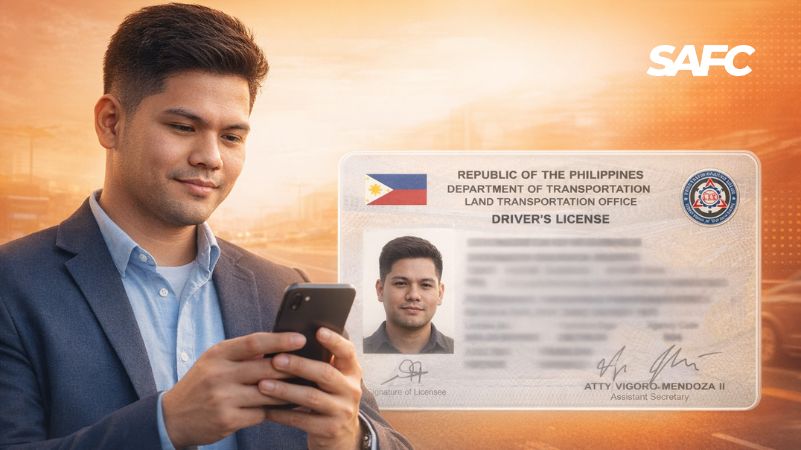
The Philippine e-Driver’s License (eDL) is the official digital version of an LTO-issued driver’s license. For eligible motorists, it provides a digital way to access and present license information through official government digital services instead of relying only on a physical card.
If you are wondering whether the eDL is valid, where to access it, whether a screenshot is accepted, or what to do if you forgot your physical driver’s license, this guide explains the key points in one place.
It also covers what to know if you receive a Temporary Operator’s Permit (TOP) or Electronic Temporary Operator’s Permit (eTOP) after a traffic apprehension, including important validity and settlement timelines where applicable under LTO rules.
Quick answer:
- Is the Philippine eDL valid? Yes. The official eDL is recognized by the LTO as a valid digital form of driver’s-license authorization in applicable situations.
- Where can you access it? Through official LTO digital services, including the LTMS Portal and applicable government digital-service platforms.
- Can you show a screenshot instead? Do not assume that a screenshot is equivalent to accessing the official digital license through your authorized account.
- What if you forgot your physical license? Access your official eDL through the appropriate government system and follow the applicable LTO procedures.
- What if you receive a TOP or eTOP? Check the document carefully, including its validity and settlement requirements, and use official LTO channels for any payment or transaction.
Because LTO systems, policies, and procedures may be updated, always verify time-sensitive requirements through the latest official LTO information.
What Is the Philippine e-Driver’s License?
The electronic Driver’s License (eDL) is the digital version of an official driver’s license issued by the Land Transportation Office (LTO).
Instead of relying exclusively on a physical plastic card, eligible motorists can access their official digital license information through authorized government digital services.
The eDL is designed to provide a more convenient way to access and present driver’s-license information in applicable situations, including certain traffic inspections and apprehension-related interactions.
eDL vs. Physical Driver’s License
| Feature | eDL | Physical Driver’s License |
| Format | Digital | Physical card |
| Issuing authority | LTO | LTO |
| How it is accessed | Through an authorized government digital service | By presenting the physical card |
| Can it be presented in applicable traffic situations? | Yes, when accessed through the official system and subject to applicable rules | Yes |
| Is a screenshot the same as the official license? | No | Not applicable |
| Requires access to a device? | Yes | No |
Is the Philippine e-Driver’s License Valid?
Yes. The LTO recognizes the official eDL as a valid digital form of driver’s-license authorization in applicable situations.
The important distinction is that the official eDL must be accessed through an authorized government system. It is not simply a photograph, scan, or screenshot of your physical driver’s license.
If you need to present your eDL, access the official digital record through your authorized account and follow the applicable LTO procedures.
Screenshot vs. Official eDL
A screenshot is only an image of information that appeared on a screen at an earlier time.
It may not show:
- The current status of the license
- Whether the information is still valid
- Whether the digital record belongs to the person presenting it
- Whether the information has been altered
For that reason, do not treat a screenshot as a substitute for accessing the official eDL through the appropriate government system.
Where Can You Access Your eDL?
The official eDL may be available through government digital services connected to your LTO record.
Depending on your account and the current LTO implementation, access may include:
- LTMS Portal, the Land Transportation Management System operated for LTO services.
- eGovPH digital services, where applicable to the current implementation of the digital driver’s-license service.
The exact appearance, location, and availability of digital-license features may change as government systems are updated.
💡Important
If you cannot immediately see your eDL, do not assume that you need to create multiple new accounts. First check whether you are using the correct account and whether your LTO information is properly associated with it.
If the issue continues, use the official LTO support channels for account or record-related assistance.
How to Access Your eDL Through the LTMS Portal
The exact layout of the LTMS Portal may change over time. The following steps describe the general access process while recognizing that menu names and interface elements may be updated by the LTO.
Step 1: Open the Official LTMS Portal
Go directly to the official LTO LTMS Portal.
Avoid accessing government services through links sent by unknown numbers, suspicious text messages, or unsolicited emails.
For security, it is safer to type the official address into your browser or use a bookmark that you created from the official website.
Step 2: Create an LTMS Account if You Do Not Have One
If you do not already have an LTMS account, follow the official registration process shown on the portal.
The information requested may include personal and contact details needed to associate your account with your LTO record.
Because registration screens can change, follow the current instructions displayed by the official LTMS system rather than relying exclusively on an older screenshot or step sequence.
Step 3: Log In to Your Account
Use the login credentials associated with your LTMS account.
If you already have an account, avoid creating another account simply because you cannot immediately locate a feature.
If you have forgotten your password, use the official password-recovery process described below.
Step 4: Look for Your Digital License or Digital ID Feature
After logging in, look for the digital-license or Digital ID feature available within your account.
The exact menu name and location may change as the LTO updates the system.
If your eDL is available, review the information displayed on the official digital record.
Depending on the system and your record, the information may include details such as:
- Your name
- License information
- Expiration information
- License categories or restrictions, where displayed
Step 5: Present the Live Official eDL When Required
If you need to present your eDL in an applicable traffic situation:
- Open the official government digital service.
- Log in to your own authorized account.
- Navigate to the digital-license display.
- Show the live official record.
Do not rely on a screenshot as a substitute for accessing the official digital license.
💡 Practical tip
If you regularly drive, save the official LTMS Portal as a browser bookmark or home-screen shortcut.
You should also:
- Keep your phone charged.
- Make sure you know your account-recovery options.
- Avoid sharing your login credentials.
- Have a backup plan if the service is temporarily unavailable.
What If You Forgot Your Physical Driver’s License?
If you forgot your physical license, the appropriate response is to access your official eDL through the applicable government digital service and follow the current LTO procedures.
A practical sequence is:
- Pull over safely when instructed.
- Open the official government digital service where your eDL is available.
- Log in to your own authorized account.
- Display the live official digital license.
- Follow the instructions of the authorized enforcer and applicable LTO procedures.
Do not attempt to substitute a screenshot, edited image, or photograph of your license for the official digital record.
What If You Cannot Access Your eDL?
Not being able to see your eDL does not necessarily mean that your license is invalid.
Possible causes may include:
- You are using a different email address from the one associated with your account.
- Your account details do not match your LTO record.
- The digital-license feature is temporarily unavailable.
- Your account has a verification or record-association issue.
- The government service is experiencing a technical problem.
What to do
- Confirm that you are using the correct official account.
- Check whether you can access other account features.
- Use the official account-recovery process if necessary.
- Avoid creating duplicate accounts unless the official system instructs you to do so.
- Contact the LTO through its official support channels if the problem involves your record or account.
What to Do If You Forgot Your LTMS Password
If you forgot your password:
- Open the official LTMS login page.
- Select the password-recovery option.
- Enter the email address associated with your account.
- Follow the instructions sent through the official recovery process.
- Create a new password and log in again.
The exact labels and recovery flow may change as the portal is updated.
💡 Security tip
Avoid storing your password in an unsecured note or sharing your credentials with another person.
If you use a password manager, it can help you store your login information securely and reduce the likelihood of being locked out of your account when you need the eDL.
What If You Forgot the Email Address Associated With Your LTMS Account?
This is different from simply forgetting your password.
If you cannot identify the email address associated with your account:
- Check the email addresses you commonly use for government services.
- Look for previous LTMS registration or confirmation messages.
- Use official account-recovery options if available.
- Contact the LTO through its official support channels if you cannot resolve the issue.
Avoid creating multiple accounts unnecessarily, particularly if you already have an existing LTO record.
What Happens If You Are Apprehended for a Traffic Violation?
If you are apprehended for a traffic violation, the applicable enforcement process depends on the violation, the authority involved, and the current LTO rules and procedures.
A Temporary Operator’s Permit (TOP) or Electronic Temporary Operator’s Permit (eTOP) may be issued in connection with an apprehension.
Depending on the document and applicable procedure, it may contain information such as:
- The alleged violation
- The date and time of issuance
- The applicable penalty or fine
- Settlement or payment instructions
- The period during which the document is valid
Read the document carefully and keep a record of the information provided.
What Is a TOP or eTOP?
A Temporary Operator’s Permit (TOP) or Electronic Temporary Operator’s Permit (eTOP) is an official document associated with certain traffic apprehension procedures.
If you receive one, do not treat it as a generic receipt or ignore it.
Check:
- The type of violation recorded.
- The date and time of issuance.
- The validity period.
- The applicable settlement deadline.
- The instructions for resolving the apprehension.
The exact process may depend on the applicable LTO rules and the circumstances of the apprehension.
How Long Is a TOP or eTOP Valid?
Under the applicable LTO guideline identified in the audit materials, a TOP/eTOP is valid for 72 hours from the date and time of issuance.
After the applicable validity period expires, the driver may be prohibited from operating a motor vehicle under the relevant rules.
💡 Important
Do not assume that receiving a TOP or eTOP means you can continue driving indefinitely.
If you have received one:
- Check the date and time of issuance.
- Check the validity period.
- Review the settlement instructions.
- Resolve the apprehension through the appropriate official process.
How Long Do You Have to Settle a Traffic Violation?
The applicable LTO guidance identified in the audit materials provides a 15-day period from the issuance of the TOP for settlement of the apprehension.
If the apprehension is not settled within the applicable period, the relevant LTO rules may provide for consequences affecting access to the eDL feature.
Under the cited guideline, access to the eDL feature may be suspended for 30 days from the date of payment of the fine, subject to the applicable rules and procedures.
Important distinction
The 72-hour TOP/eTOP validity period and the 15-day settlement period are not the same thing.
- 72 hours: Relates to the validity of the TOP/eTOP under the applicable guideline.
- 15 days: Relates to the period for settling the apprehension under the applicable LTO guidance.
If you receive a TOP or eTOP, check the specific document and current LTO instructions rather than relying solely on a general article.
Can Your eDL Be Suspended After an Unsettled Violation?
Under the applicable LTO guideline identified in the audit materials, failure to settle the apprehension within the prescribed period may result in suspension of access to the eDL feature for the specified period.
The cited guideline provides for a 30-day suspension from the date of payment of the fine, subject to the applicable rules and procedures.
Because enforcement and adjudication procedures may contain exceptions or additional requirements, do not assume that every case will be handled identically.
If you believe there are exceptional circumstances surrounding your case, follow the appropriate LTO process for seeking clarification or relief.
How to Pay an LTO Traffic Violation Online
If your traffic-related transaction is eligible for online settlement through the official LTO system, the general process is:
Step 1: Go directly to the official LTO digital service
Use the official LTMS Portal or the applicable official government service.
Do not access a payment page through an unsolicited link sent by text message, email, or social media.
Step 2: Log in to your account
Use the account associated with your LTO record.
Step 3: Locate the relevant transaction or apprehension
Look for the applicable section relating to violations, apprehensions, TOP/eTOP records, or other relevant transactions.
The exact menu names may change as the system is updated.
Step 4: Review the details
Before making a payment, carefully review:
- The violation or transaction
- The amount due
- The applicable deadline
- Any reference number or transaction details
Step 5: Select an available payment option
Payment options may vary depending on:
- The type of transaction
- The payment system currently connected to the service
- The payment channels enabled at the time
Follow only the payment options displayed inside the official system.
Step 6: Complete the payment
Follow the instructions provided by the official payment interface.
Step 7: Save your confirmation
Keep the official payment confirmation, receipt, or transaction reference for your records.
Do Not Pay an LTO Traffic Fine Through a Suspicious Link
The LTO has warned the public about scams involving fake messages, websites, and payment pages that impersonate official LTO services.
A scam message may:
- Claim that you have an unpaid traffic violation.
- Threaten immediate penalties.
- Include a link to a fake LTMS website.
- Ask for personal or driver’s-license information.
- Redirect you to a fraudulent payment page.
- Request payment through an unauthorized account or QR code.
What to do if you receive a suspicious message
- Do not click the link.
- Do not enter your personal or payment information.
- Open the official LTO website or digital service directly.
- Check whether the alleged transaction appears in your official account.
- Use official LTO channels to verify the message if necessary.
Simple rule
If an unexpected message tells you to pay an LTO violation immediately through a link, do not trust the link automatically. Verify the transaction directly through official LTO channels.
eDL vs. Screenshot: What Is the Difference?
| Official eDL | Screenshot |
| Accessed through an authorized government system | Static image |
| Connected to the user’s official digital record | May be outdated |
| Intended to provide official digital license information | Can potentially be edited |
| Accessed through the appropriate account or service | Does not itself verify current status |
A screenshot may be useful as a personal reference, but you should not assume that it is equivalent to accessing your official eDL through the authorized government system.
Conclusion
The Philippine e-Driver’s License provides motorists with a digital way to access official driver’s-license information through applicable government digital services.
The most important things to remember are:
- Use the official digital service rather than relying on a screenshot.
- Keep your account access information secure.
- If you receive a TOP or eTOP, check its validity and settlement requirements carefully.
- Pay traffic-related transactions only through official channels.
- Be cautious of unexpected messages and links claiming to be from the LTO.
- Verify time-sensitive requirements directly with the LTO because government systems and procedures can change.
The eDL is designed to make driver’s-license access more convenient, but convenience does not eliminate the need to verify information, follow applicable procedures, and protect yourself from fraudulent websites and payment requests.